
Table of Contents
- Introduction: What Are 3D Holographic Fonts?
- Why 3D Holographic Typography Is Trending
- Key Characteristics of Holographic Fonts
- Use Cases: Where 3D Holographic Fonts Shine
- Examples from RaisProject
- Enclave
- Agrozza
- Venus Time
- How to Create or Use 3D Holographic Text Effects
- Challenges and Best Practices
- The Future of Holographic Typography
- Conclusion
- References
1. Introduction: What Are 3D Holographic Fonts?
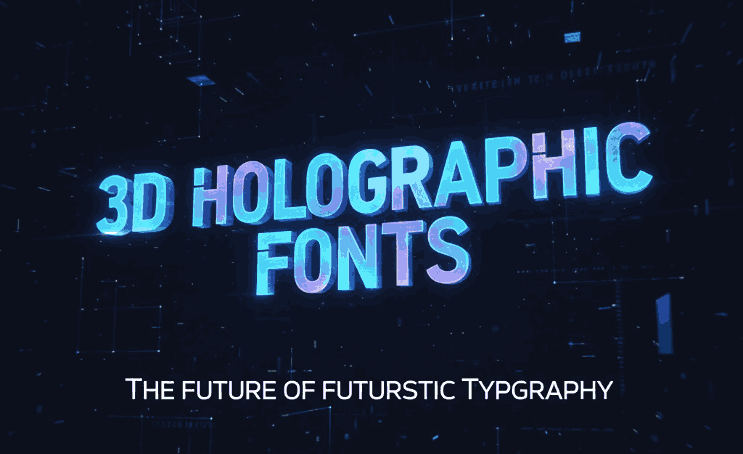
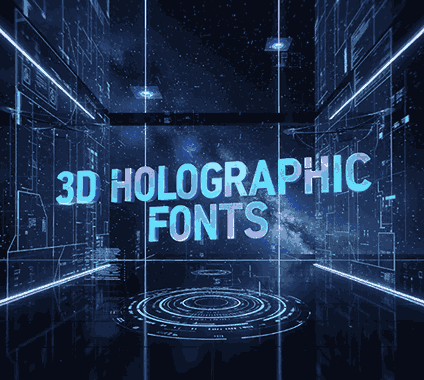
3D holographic fonts are a visually striking typographic style that combines three-dimensional depth with holographic or iridescent effects. These fonts create the illusion of floating, refracting light — often with rainbow gradients, metallic finishes, or neon-like glow — giving designers a futuristic, almost sci-fi feel.
Unlike classic flat typography, 3D holographic fonts simulate depth and luminosity. They might not be truly holograms in the physical sense, but in design, they replicate many of the aesthetic qualities of holography.
2. Why 3D Holographic Typography Is Trending
The rise of 3D holographic fonts is driven by several design and technological trends:
- Futuristic and Cyberpunk Aesthetics: With growing interest in cyberpunk, Y2K revival, and digital futurism, designers want typography that matches these bold visuals.
- Mixed Reality / AR Design: Designers working in augmented reality (AR) or virtual reality (VR) are experimenting with 3D letterforms and spatial typography.
- Digital Branding: Brands aiming for innovation use holographic effects to feel cutting-edge and modern.
- Creative Tools: Tools for 3D effects, gradients, and typography are becoming more accessible, enabling more designers to experiment freely.
As Creative Market notes, hologram design is not just about shine — it’s about creating typefaces that occupy space and respond to simulated light.
3. Key Characteristics of Holographic Fonts
To understand what makes a 3D holographic font special, here are some defining traits:
- Gradient & Iridescent Colors: Shimmering pastel or neon gradients that change hue, simulating a prismatic or oil-slick effect.
- Depth and Extrusion: A 3D sense of volume achieved through beveled edges, shadowing, and layered dimension.
- Glowing Outlines or Highlights: Luminescent borders to give letters a “lit from inside” or neon feeling.
- Reflective Surfaces: Simulated metal or glass-like surfaces that reflect light in interesting ways.
- Dynamic Light Play: Use of highlights and lowlights that mimic how real holograms reflect and refract light.
4. Use Cases: Where 3D Holographic Fonts Shine
Here are some ideal scenarios to use 3D holographic typography:
- Branding and Logos: For tech brands, entertainment, gaming, and futuristic startups
- Posters & Album Covers: Especially in electronic, synthwave, and Y2K-inspired visuals
- User Interfaces (UI): In digital products, apps, or websites where immersive / futuristic design is a core theme
- Events & Experiences: Conferences, music festivals, or exhibitions with a tech or sci-fi theme
- AR / VR Environments: Immersive experiences in virtual space benefit from typographic depth
5. Examples from RaisProject
Here are three fonts from RaisProject that work beautifully as base or mockups for 3D holographic typography:
Enclave Font
A modern sans-serif display font with clean, futuristic lines. Its structure is solid and minimal, making it ideal for applying 3D effects, extrusion, and holographic gradients.
Agrozza Font
Agrozza is bold, techy, and expressive—a perfect match for sci-fi visuals. Its strong forms and sharp corners allow designers to layer depth and reflective effects convincingly.
Venus Time Font
This font has a cosmic and dynamic aesthetic. The letterforms are stylized with curvature that can enhance holographic glow, especially when used with gradient or neon effects.
6. How to Create or Use 3D Holographic Fonts Text Effects
If you want to create holographic typography, here’s a step-by-step guideline:
- Choose a Base Font
Start with a clean, structurally solid display font (e.g., Enclave, Agrozza, Venus Time). - Extrude the Font
Use design tools (like Adobe Illustrator, Blender, or Cinema4D) to add depth to the letterforms. - Apply Gradient or Iridescent Fill
Use a gradient overlay or mesh gradient to simulate prismatic color shifts. Designers often use pastel rainbow or neon gradients. - Add Highlights & Shadow
Use light sources in design tools to simulate reflections, bevel effects, and rim lighting. - Layer Glows or Outline Effects
A subtle glow around edges adds a neon or holographic finish. Tools like Photoshop or After Effects are helpful. - Test and Adjust
Render the text in different lighting or backgrounds to ensure it reads well and the effect is believable.
7. Challenges and Best Practices
While holographic fonts can be visually stunning, they come with challenges:
- Legibility: Overly complex gradients or extrusion can make letters hard to read.
- File Size: 3D-rendered or high-detail effects increase file size, which might hurt web performance.
- Overuse: The effect is trendy — overusing it can make a design feel gimmicky.
- Accessibility: Very colorful or glowing text might reduce contrast for users with visual impairments.
- Print Limitations: Some holographic effects look best in digital formats and may not translate well to print.
Best Practices:
- Use holographic effects sparingly, for headlines or special elements.
- Ensure good contrast and readability even with the effect.
- Always provide fallback fonts or CSS for web usage.
- Optimize exported assets for web or use vector tools to manage file size.
8. The Future of 3D Holographic Fonts Typography
As design technology evolves, 3D holographic typography is set to become even more immersive:
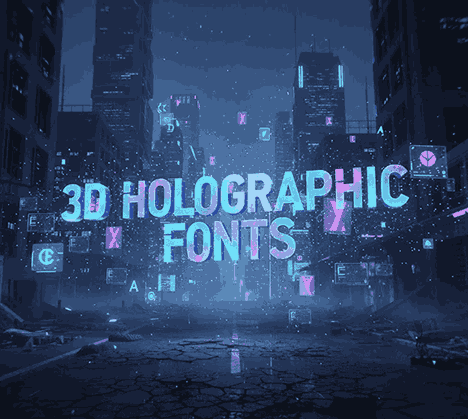
- Mixed Reality (AR/VR): Designers will create true floating holographic typography in virtual environments.
- AI + Machine Learning: Tools may generate custom holographic effects on demand.
- Variable Holographic Fonts: Fonts that adjust depth, color, and glow based on user interaction.
- Real-time Web Effects: With WebGL and CSS advancements, interactive holographic text may render directly in web browsers.
Research in generative typography (for example, using diffusion models) shows promising directions for automated, highly stylized effects.
9. Conclusion 3D Holographic Fonts
3D holographic fonts are more than a design fad — they’re a powerful way to bring futuristic, immersive typography to life. By combining depth, gradient, and light, designers can evoke emotion, innovation, and visual wonder.
Fonts like Enclave, Agrozza, and Venus Time from RaisProject provide excellent foundations for such effects. When used thoughtfully, holographic typography can elevate branding, digital experiences, and mixed-reality projects into truly futuristic realms.
Whether you’re a brand, a designer, or a creative agency, exploring 3D holographic fonts can unlock new visual dimensions and set your work apart in a rapidly evolving design landscape.
10. References
- Creative Market — Trend Alert: The Hologram Design Trend
- Motion Array — Holographic Liquid Y2K Typefaces
- Envato Elements — Holographic Text Effects for Designers
- Wikipedia — Holography Basics
- Design Bundles — Future 3D Vector Text Effect Templates
- ArXiv — FontStudio: Diffusion Model for Font Effect Generation