
Table of Contents
- Introduction
- What Is a Creative Workflow?
- Why Creative Workflow Matters for Designers
- Common Challenges in Creative Work
- Practical Creative Workflow Tips for Designers
- How Typography Supports an Efficient Creative Workflow
- RaisProject Fonts That Improve Creative Workflow
- Building a Sustainable Creative Routine
- Conclusion
- References
1. Introduction Creative Workflow Tips
Creative Workflow Tips is often associated with inspiration and spontaneous ideas. However, professional designers know that real creative success comes from systems, structure, and consistency. This is where a strong creative workflow becomes essential.
In this article, we’ll share Creative Workflow Tips that help designers work more efficiently, stay inspired, and produce consistent results—without burnout. We’ll also explore how typography and font choices play an important role in supporting a productive creative process.
2. What Is a Creative Workflow Tips?
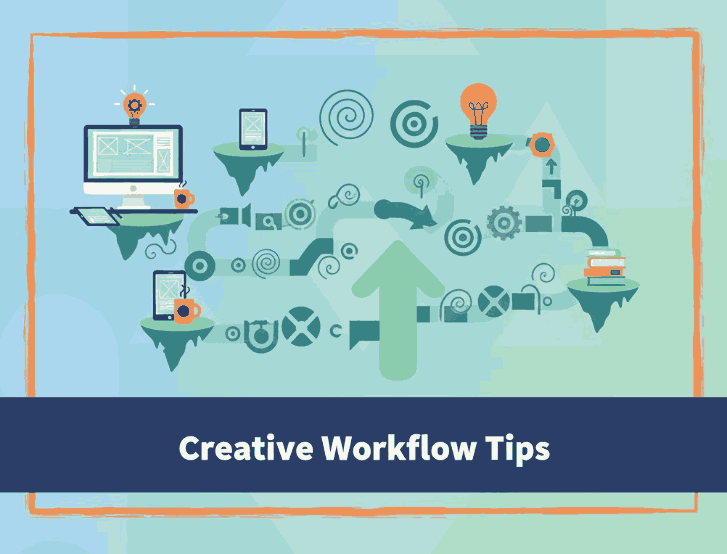
A creative workflow is a repeatable process that guides how creative work moves from idea to execution. It includes stages such as:
- Research and inspiration
- Ideation and sketching
- Design execution
- Review and refinement
- Delivery and publishing
A good workflow doesn’t limit creativity—it frees mental space so designers can focus on ideas instead of chaos.
3. Why Creative Workflow Tips Matters for Designers
Without a structured workflow, creative professionals often face:
- Decision fatigue
- Inconsistent results
- Creative burnout
- Missed deadlines
- Low productivity
With a solid workflow, designers gain:
- Faster production time
- More consistent visual identity
- Better focus and clarity
- Higher creative confidence
Successful creativity is not about waiting for genius moments—it’s about building systems that work every day.
4. Common Challenges in Creative Workflow Tips
Before improving workflow, it’s important to understand common obstacles:
A. Overthinking and Perfectionism
Spending too much time refining small details slows progress.
B. Too Many Tools and Assets
Switching between countless apps and resources disrupts focus.
C. Inconsistent Design Decisions
Lack of clear style guidelines leads to repeated revisions.
D. Creative Fatigue
Long sessions without visual clarity or structure drain energy.
Good workflow tips aim to reduce these problems.
5. Practical Creative Workflow Tips for Designers
Here are proven Creative Workflow Tips you can apply immediately:
1. Standardize Your Process
Create a consistent sequence for every project—brief, moodboard, execution, review.
2. Use Design Systems and Templates
Reusable layouts, grids, and typography speed up work and maintain consistency.
3. Limit Design Choices Early
Preselect color palettes and fonts to avoid endless experimentation.
4. Separate Creative Phases
Ideation and execution require different mindsets—don’t mix them.
5. Work in Focused Time Blocks
Short, deep-focus sessions outperform long distracted hours.
6. Build a Reliable Asset Library
Fonts, icons, and visual elements you trust reduce decision fatigue.
6. How Typography Supports an Efficient Creative Workflow Tips
Typography directly affects how designers think, focus, and execute ideas.
The right fonts help by:
- Improving readability during long work sessions
- Creating visual hierarchy quickly
- Reducing unnecessary visual noise
- Supporting consistent branding
Clean and structured fonts speed up layout decisions, while expressive display fonts add creative energy when needed.
7. RaisProject Fonts That Improve Creative Workflow Tips
Here are selected fonts from RaisProject.com that support different stages of a creative workflow:
1. Goswell Font — Reliable and Professional
Goswell is a clean sans-serif font ideal for structured creative tasks.
Best for:
- Design documentation
- Branding guidelines
- Editorial layouts
- UI and presentation slides
Workflow benefit:
Enhances clarity, reduces eye strain, and supports long design sessions.
2. Longless Font — Minimal and Focus-Oriented
A modern, minimalist sans-serif that removes distractions.
Best for:
- Wireframes
- Digital interfaces
- Modern branding projects
Workflow benefit:
Helps designers focus on structure and content without visual overload.
3. The Ruler Font — Structured Creativity
A stylish display font with a controlled, confident look.
Best for:
- Section headings
- Moodboards
- Creative planning visuals
Workflow benefit:
Adds personality while maintaining order and hierarchy.
4. Space Power Font — Energy and Motivation
A futuristic display font that injects momentum into creative work.
Best for:
- Posters
- Creative challenges
- Concept presentations
Workflow benefit:
Boosts motivation and keeps creative energy high during execution stages.
Using a small, intentional font set like this allows designers to move faster while maintaining creative consistency.
8. Building a Sustainable Creative Workflow Tips Routine
Creative workflow is not only about tools—it’s about habits.
Tips for long-term sustainability:
- Start your day with structured tasks
- Save experimentation for specific time slots
- Reuse successful design patterns
- Keep a personal font and asset library
- Review and refine your workflow monthly
Consistency always beats occasional inspiration.
9. Conclusion Creative Workflow Tips
Strong creativity doesn’t come from chaos—it comes from clear workflows, smart tools, and intentional design decisions. By applying these Creative Workflow Tips, designers can stay productive, avoid burnout, and deliver high-quality work consistently.
Typography plays a crucial role in this process. Fonts from RaisProject.com are designed to support clarity, structure, and creative expression—making them powerful tools within any professional workflow.
Creativity thrives when systems support it.
10. References
- ShareFile — Creative workflow management: a 7-step guide
- Pageproof — Creative workflow management: tools, tips & processes
- LetterhendStudio — Be a genius without the hassle of searching for ideas